For cord-cutters, understanding how to record live TV without cable using a cloud DVR is essential when choosing a live TV streaming service.
One of the biggest adjustments for longtime cable subscribers is losing the familiar DVR box sitting beside the television. For years, DVRs made it easy to record sports, skip commercials, save favorite shows, and watch television on your own schedule. Many viewers assume cord-cutting means giving up those conveniences entirely.
Fortunately, modern streaming services now offer several DVR options for cord-cutters that replicate — and sometimes improve upon — the traditional cable DVR experience. Instead of recording shows onto a physical hard drive inside a cable box, most streaming platforms now rely on cloud DVR systems that store recordings online.
Cloud DVR Replaces the Old Cable Box
Traditional cable DVRs relied on physical storage built directly into the hardware sitting in your home. Cloud DVR works differently.
Streaming services store recorded content remotely on company servers, allowing viewers to access recordings from multiple devices without bulky equipment or local storage.
This creates several advantages. Recordings become accessible across televisions, phones, tablets, and streaming devices. Hardware failures no longer erase saved programs. Setup also becomes dramatically simpler because there is no cable company equipment to install or maintain.
For many cord-cutters, cloud DVR quickly becomes one of the most convenient parts of streaming.
Learn How to Watch Live TV Without Cable in 2026 for broader live TV options.
YouTube TV Offers One of the Best DVR Systems
Among live TV streaming services, YouTube TV consistently receives praise for its DVR functionality.
One reason is simple: unlimited storage.
Viewers can record sports, television series, movies, and live events without worrying about hitting storage caps. Recordings are stored automatically in the cloud and remain accessible across devices for extended periods.
The interface also feels intuitive. Scheduling recordings, organizing saved content, and replaying sports events tend to work more smoothly than many competitors.
For former cable users who relied heavily on DVR functionality, YouTube TV often feels like the closest direct replacement.
The downside is price. YouTube TV sits toward the premium end of live TV streaming services overall.
Hulu + Live TV Combines DVR With On-Demand Content
Hulu + Live TV approaches DVR differently by blending live recording features with Hulu’s broader on-demand ecosystem.
Viewers can record live television while also accessing Hulu originals, current network programming, and bundled services like Disney+ and ESPN+, depending on the subscription package.
This creates a broader entertainment environment than live TV alone.
Hulu’s DVR functionality works well overall, though some users find the interface less streamlined than YouTube TV’s. Navigation between live recordings and on-demand content can occasionally feel cluttered.
Still, for households already invested in Hulu’s ecosystem, the DVR integration adds substantial flexibility without requiring separate cable hardware.
Compare YouTube TV vs Hulu + Live TV: Which Is Better for Cord-Cutters? before choosing.
Sling TV Prioritizes Budget Flexibility
Sling TV offers a more affordable approach to cloud DVR.
Because Sling focuses heavily on customizable, lower-cost channel packages, its DVR system also follows a more modular philosophy. Some plans include limited DVR storage by default, while expanded storage may require add-on upgrades.
For budget-conscious cord-cutters, this flexibility can work well because households only pay for the features they actually need.
However, Sling’s DVR experience feels somewhat less comprehensive than premium competitors like YouTube TV or Hulu + Live TV.
The trade-off reflects Sling’s overall strategy: affordability and customization rather than a full cable-style replacement.
For lighter live-TV users, that balance may still be perfectly acceptable.
Fubo Performs Well for Sports Recording
Fubo appeals strongly to sports fans, and its DVR system reflects that focus.
The platform provides generous cloud DVR functionality designed to support heavy live-event recording, sports replays, and simultaneous game management.
Sports viewers often prioritize DVR more heavily than other streaming audiences because of live schedules, overlapping games, and time-zone differences, making recording essential.
Fubo’s interface generally handles sports recording well, though pricing again tends to be higher due to the platform’s sports-heavy identity.
For dedicated sports households, however, the DVR functionality often becomes one of Fubo’s strongest selling points.
Explore How to Improve Streaming Quality on Slow Internet Connections for smoother antenna-streaming setups.
Some Limitations Still Exist
Although cloud DVR systems are powerful, they are not identical to traditional cable DVRs in every situation.
Certain channels or programs may have recording restrictions tied to licensing agreements. Fast-forwarding through commercials sometimes varies by platform or subscription tier. Some recordings expire after a set period instead of being saved permanently.
Internet stability also matters more because recordings stream from the cloud rather than from local hardware.
Still, most modern cloud DVR systems now perform well enough that many cord-cutters barely miss traditional cable DVRs after switching.
In some ways, cloud systems are actually more convenient because they eliminate hardware maintenance.
Check The Best Internet Speeds for Streaming Without Interruptions to avoid cloud DVR buffering.
Free Alternatives Exist for Some Viewers
Not every cord-cutter needs a premium cloud DVR subscription.
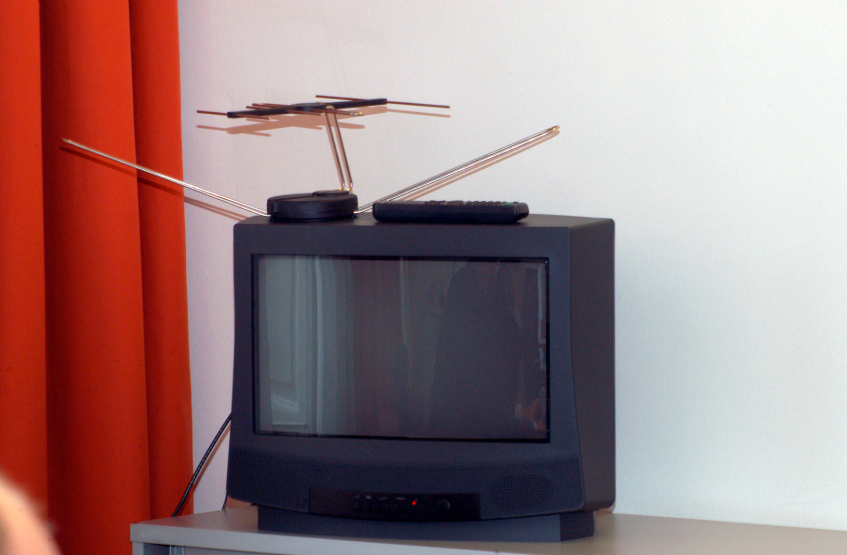
Viewers primarily recording local channels can sometimes combine over-the-air antennas with standalone DVR hardware designed specifically for broadcast television. These systems allow users to record free local broadcasts without ongoing subscription costs.
At the same time, many streaming services now offer extensive on-demand libraries that reduce the need to record altogether.
Some viewers discover they use DVR far less once streaming flexibility replaces rigid cable schedules.
Cord-Cutters No Longer Need to Fear Losing DVR
Years ago, DVR functionality represented one of cable’s biggest advantages over streaming. Today, that gap has largely disappeared.
Cloud DVR systems now allow cord-cutters to record live sports, network television, news broadcasts, and favorite series without relying on bulky cable-company hardware.
YouTube TV, Hulu + Live TV, Sling TV, and Fubo each offer different approaches depending on budget, viewing habits, and sports preferences.
The best DVR setup depends less on storage numbers alone and more on how your household actually watches live television day to day.